 Nstbrowser
Ai Agent Skills
Nstbrowser AI Agent Skills 是 Nstbrowser AI Agent 体系中的能力扩展标准(Skill-based capability layer)。
每个 Skill 都是一个目录结构,通过 SKILL.md 描述能力,使 AI Agent 能够自动理解并执行复杂任务。
在该体系中,例如 OpenClaw 这样的 Agent 作为运行载体(Execution Runtime),负责加载并执行 Skills,从而完成自动化任务。
Skills 的核心能力
Nstbrowser AI Agent Skills 为 AI Agent 提供以下核心能力:
浏览器自动化能力
- 页面访问
- DOM 操作
- 点击 / 输入 / 滚动
- 多步骤网页任务执行
数据采集与结构化能力
- 批量抓取网页数据
- JSON / CSV 结构化输出
- 动态页面解析(SPA / JS 渲染页面)
AI 工作流编排能力
- 多步骤任务拆解
- 条件判断与分支执行
- 自动重试与容错机制
多账户与隔离执行能力
profile isolation(环境隔离)session级别执行上下文proxy/fingerprint绑定执行
Nstbrowser Agent Capabilities
结合 Skills,Nstbrowser 提供完整的浏览器自动化基础能力:
- Profile Lifecycle Management
- 创建 / 启动 / 编辑 Profile
- Session & Cookie Control
- Cookie 注入与持久化
- Automation-ready Environment
- 支持代理、指纹与隔离执行环境
安装前置流程
在使用 nstbrowser-ai-agent 之前,请确保你具备以下条件:
- 安装 Nstbrowser 客户端
- Download from: https://www.nstbrowser.io/
- Install the client application
- Launch the Nstbrowser client
- Nstbrowser API 可使用
- Default endpoint:
http://127.0.0.1:8848 - Verify service is running:
- Default endpoint:
nstbrowser-ai-agent nst statusnstbrowser-ai-agent nst status- Expected output:
NST agent is running and responsiveNST agent is running and responsive- Nstbrowser 客户端注册并登录
- 完成 Nstbrowser 账号注册并成功登录客户端
使用流程
OpenClaw 作为运行载体,在整个系统中负责 Skills 的运行环境管理。
完整流程如下:
Skill 安装
Skills 来源包括:
- Nstbrowser Skills Hub: https://github.com/Nstbrowser/nstbrowser-ai-agent
- OpenClaw、Claude Code、Curso
- GitHub
SKILL.mdRepo - 本地 Skill Package
安装方式
全局安装 CLI:
npm install -g ai-agent-skillsnpm install -g ai-agent-skills从官方 marketplace 或 GitHub 安装:
npx ai-agent-skills install frontend-designnpx ai-agent-skills install frontend-design从 GitHub 安装:
npx ai-agent-skills install nstbrowser/skills-browser-automationnpx ai-agent-skills install nstbrowser/skills-browser-automation或前往 Skills Store 搜索 nstbrowser ai agent。
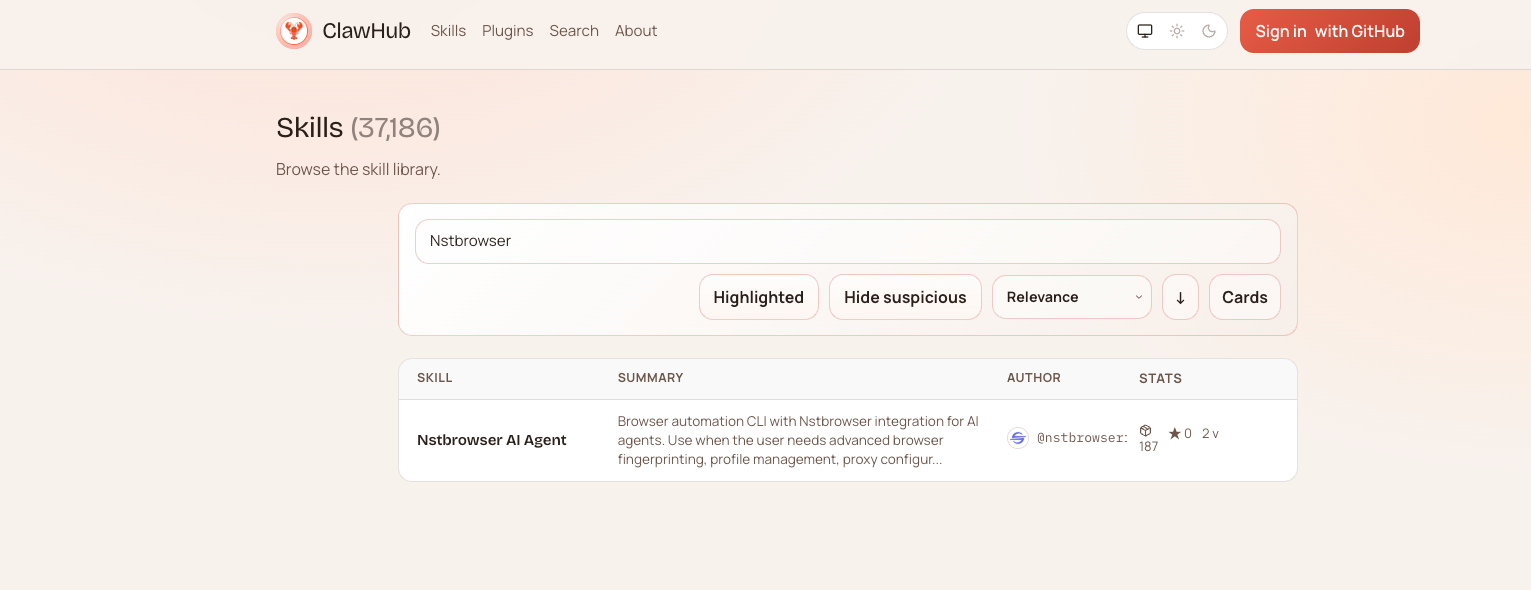
安装后,你可以将该技能与你的 AI 编码代理一起使用。
Ai Agent Skills 使用示例
以 OpenClaw 为例:
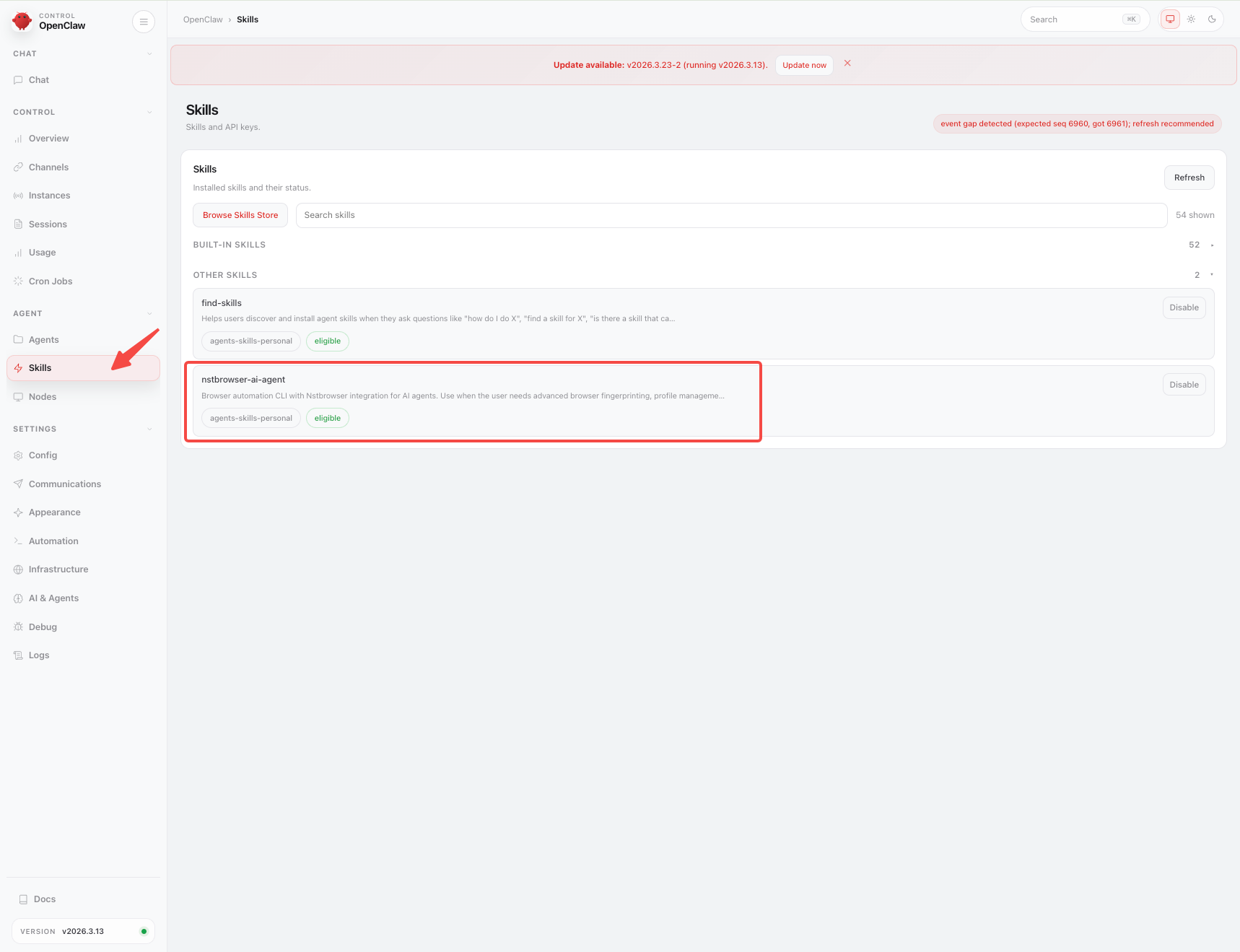
Step 1:启用 Skills
安装完成后,在 Agent 中启用 Nstbrowser AI Agent Skills。
Step 2:配置 API Key
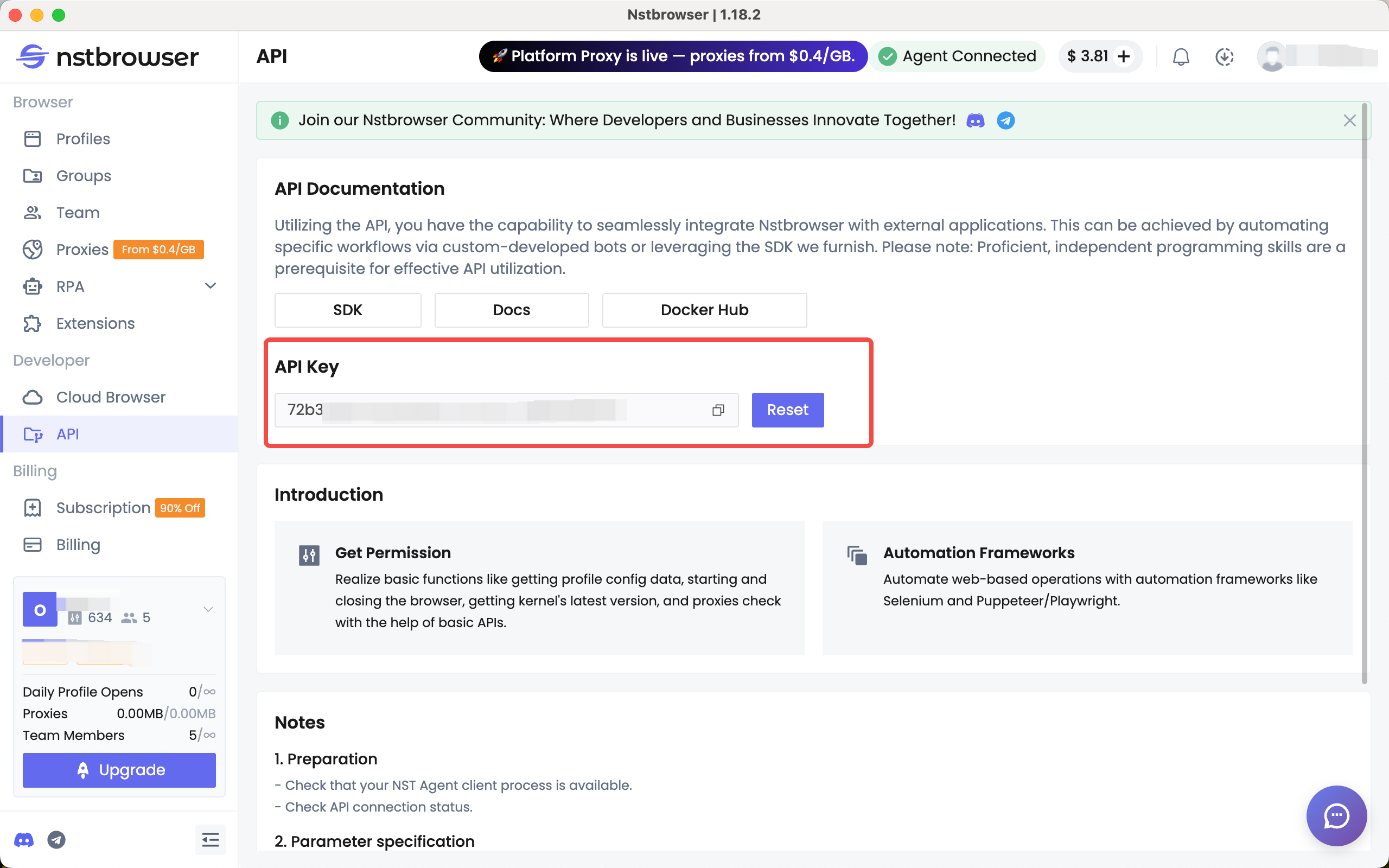
在初始化对话时,需要提供 Nstbrowser API Key:
- 前往 Dashboard -> API 页面
- 生成 API Key
- 在 Agent 对话中提供
用于绑定执行环境(账户 / Profile)。
Step 3:准备 Profile 环境
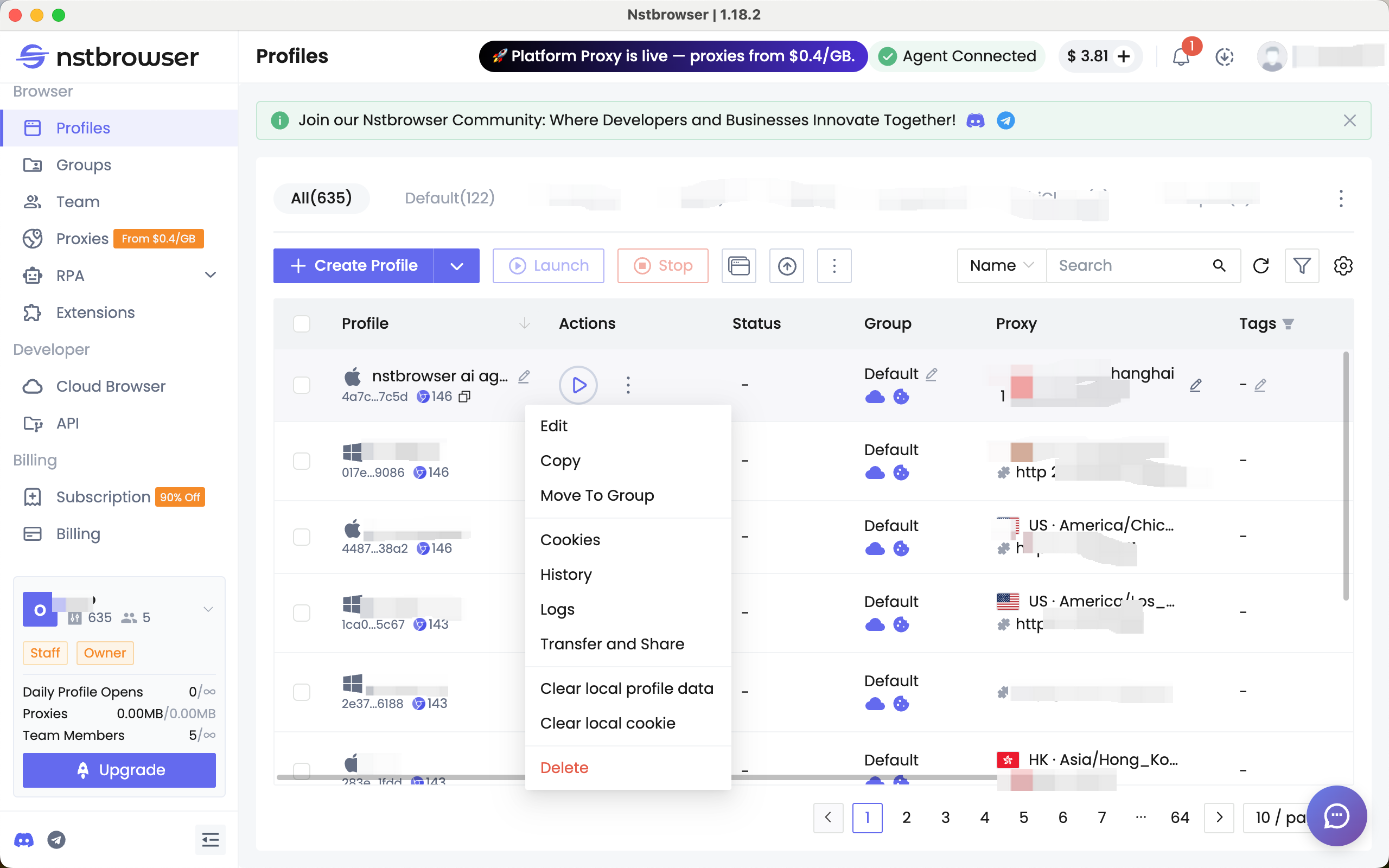
在执行账户场景任务前:
- 登录目标账号(如电商 / 社媒)
- 或注入 Cookie
- 配置 Proxy(如需要)
Step 4:执行任务
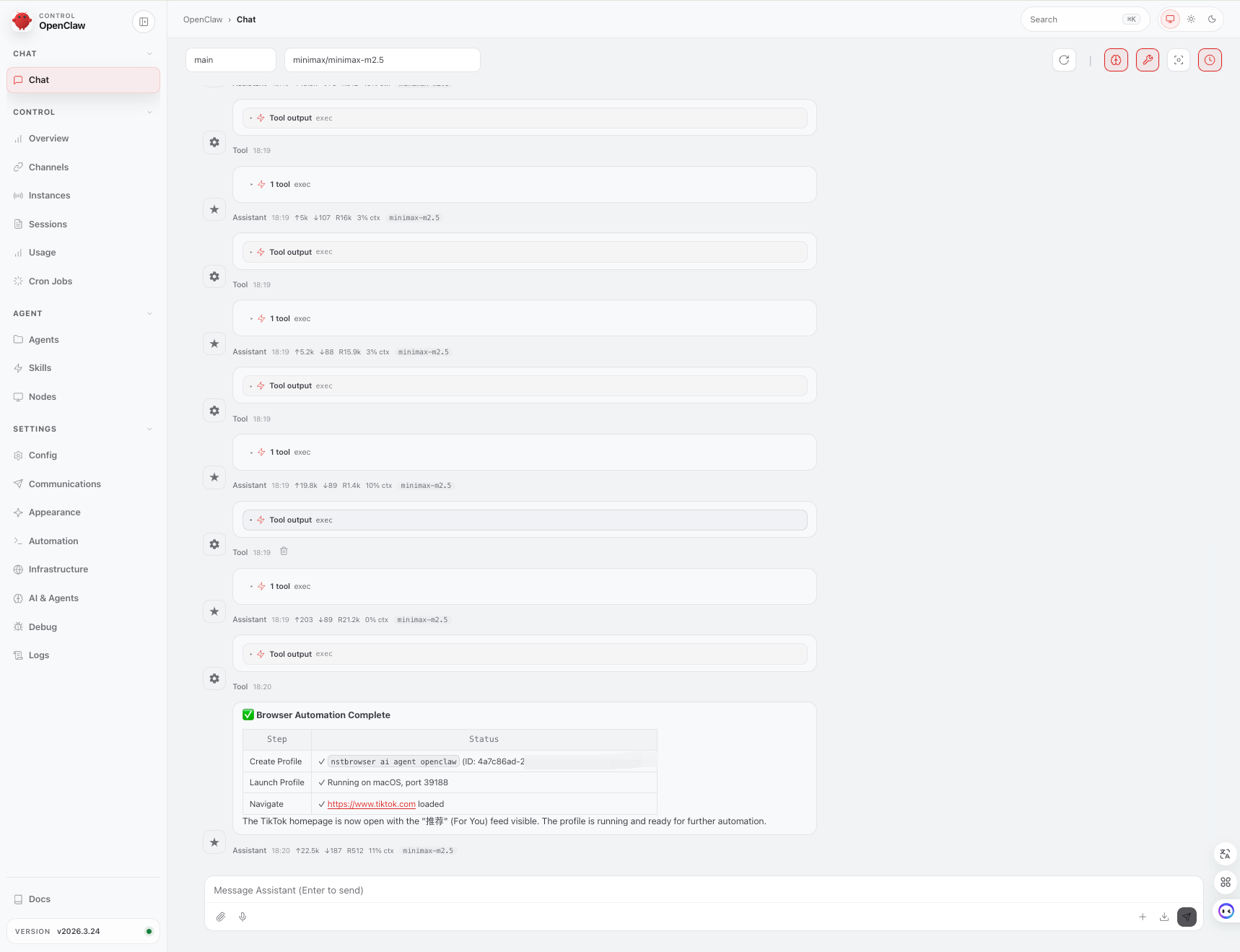
直接向 AI Agent 发出指令,例如创建和启动 Profile,并访问 TikTok:
Instruction: Browser Automation Flow
Auth:
Use Nstbrowser API Key: xxxx
Step 1: Create Profile
name: nstbrowser ai agent openclaw
Step 2: Launch Profile
wait until status = running
Step 3: Navigate
open URL: https://www.tiktok.com
Constraints:
Ensure profile is fully initialized before navigation
Fail if profile launch is unsuccessful
Instruction: Browser Automation Flow
Auth:
Use Nstbrowser API Key: xxxx
Step 1: Create Profile
name: nstbrowser ai agent openclaw
Step 2: Launch Profile
wait until status = running
Step 3: Navigate
open URL: https://www.tiktok.com
Constraints:
Ensure profile is fully initialized before navigation
Fail if profile launch is unsuccessful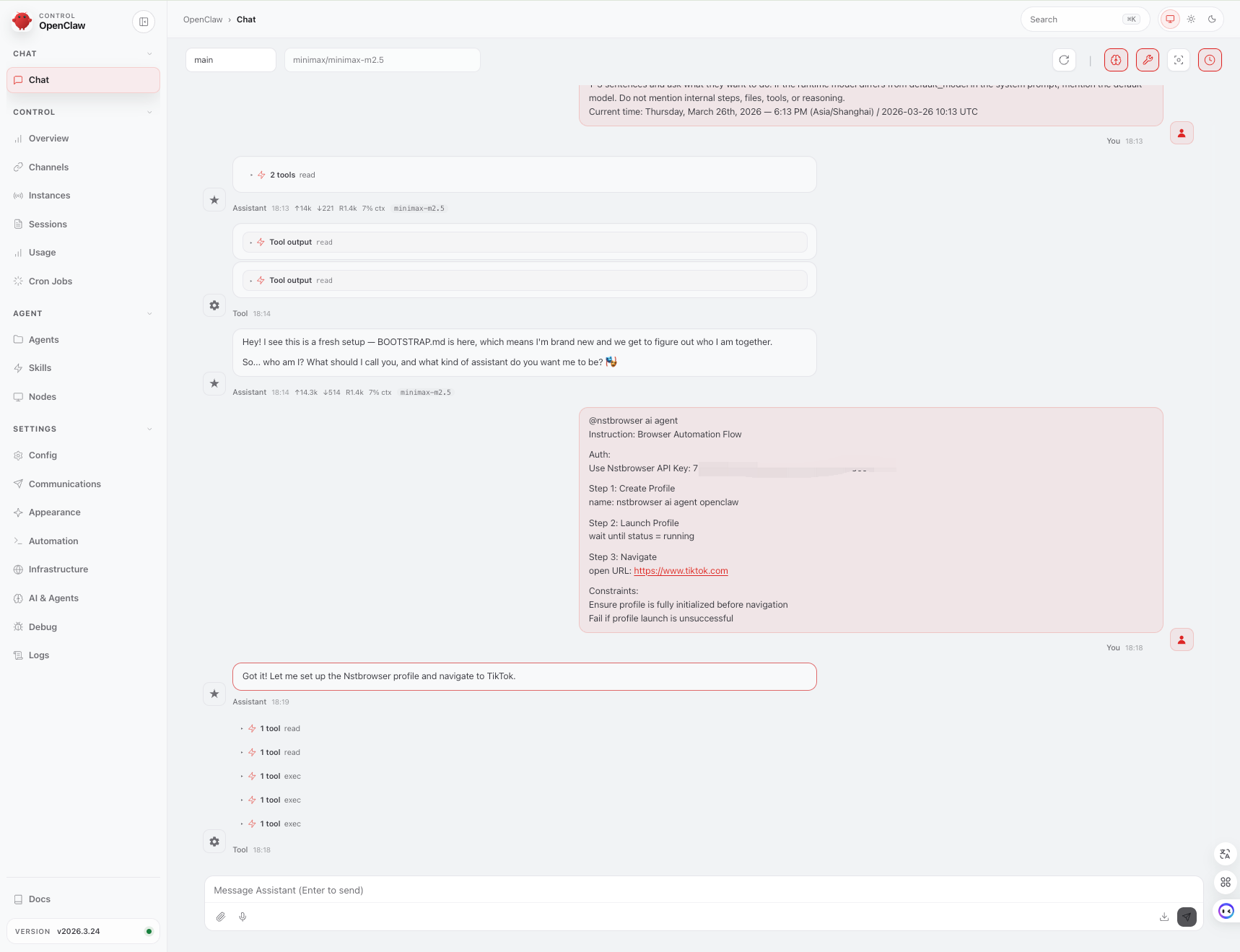
总结
Nstbrowser AI Agent Skills 提供了一种标准化方式,让 AI Agent 能够直接调用浏览器环境,执行真实世界任务(浏览、操作、采集与自动化)。
而像 OpenClaw 这样的 Agent,则作为运行载体,使这些能力真正可执行。