 Nstbrowser
Ai Agent Skills
Nstbrowser AI Agent Skills is the capability expansion standard in the Nstbrowser AI Agent ecosystem (a skill-based capability layer).
Each Skill is organized as a directory and described through SKILL.md, allowing an AI Agent to understand and execute complex tasks automatically.
In this architecture, agents such as OpenClaw act as the execution runtime, loading and running Skills to complete automation tasks.
Core Skill Capabilities
Nstbrowser AI Agent Skills provides the following core capabilities for AI Agents:
Browser Automation
- Page navigation
- DOM operations
- Clicking / typing / scrolling
- Multi-step web task execution
Data Collection and Structuring
- Batch web data extraction
- Structured JSON / CSV output
- Dynamic page parsing (SPA / JS-rendered pages)
AI Workflow Orchestration
- Multi-step task decomposition
- Conditional branching and execution
- Automatic retries and fault tolerance
Multi-Account and Isolated Execution
profile isolationsession-level execution context- Bound execution with
proxy/fingerprint
Nstbrowser Agent Capabilities
Combined with Skills, Nstbrowser provides a complete browser automation foundation:
- Profile Lifecycle Management
- Create / launch / edit profiles
- Session & Cookie Control
- Cookie injection and persistence
- Automation-ready Environment
- Support for proxy, fingerprint, and isolated execution environments
Prerequisites
Before using nstbrowser-ai-agent, make sure the following requirements are met:
- Install the Nstbrowser client
- Download from: https://www.nstbrowser.io/
- Install the client application
- Launch the Nstbrowser client
- Ensure the Nstbrowser API is available
- Default endpoint:
http://127.0.0.1:8848 - Verify the service is running:
- Default endpoint:
nstbrowser-ai-agent nst statusnstbrowser-ai-agent nst status- Expected output:
NST agent is running and responsiveNST agent is running and responsive- Register and sign in to the Nstbrowser client
- Complete account registration and sign in successfully
Workflow
OpenClaw acts as the runtime carrier and is responsible for Skills runtime management in the overall system.
The complete process is as follows:
Skill Installation
Skills can come from:
- Nstbrowser Skills Hub: https://github.com/Nstbrowser/nstbrowser-ai-agent
- OpenClaw, Claude Code, and Curso
- GitHub
SKILL.mdrepositories - Local Skill packages
Installation Methods
Install the CLI globally:
npm install -g ai-agent-skillsnpm install -g ai-agent-skillsInstall from the official marketplace or GitHub:
npx ai-agent-skills install frontend-designnpx ai-agent-skills install frontend-designInstall directly from GitHub:
npx ai-agent-skills install nstbrowser/skills-browser-automationnpx ai-agent-skills install nstbrowser/skills-browser-automationOr go to the Skills Store and search for nstbrowser ai agent.
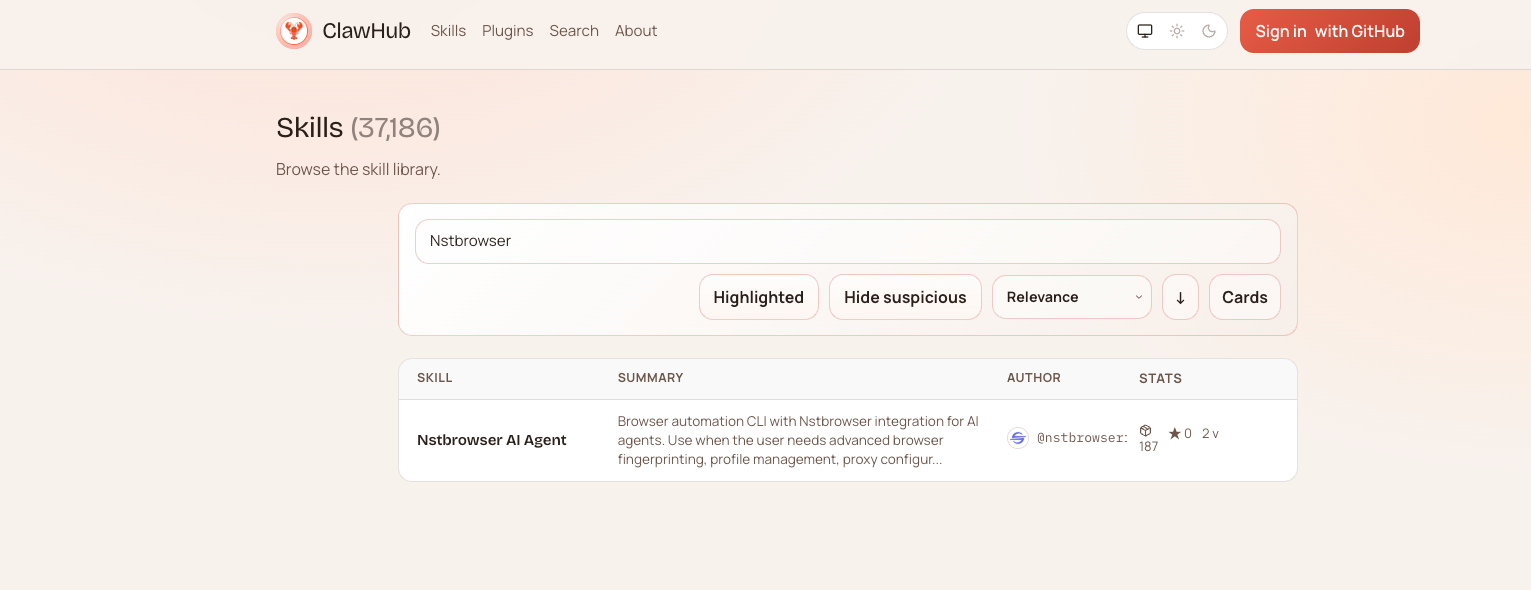
After installation, you can use the skill together with your AI coding agent.
Ai Agent Skills Example
Using OpenClaw as an example:
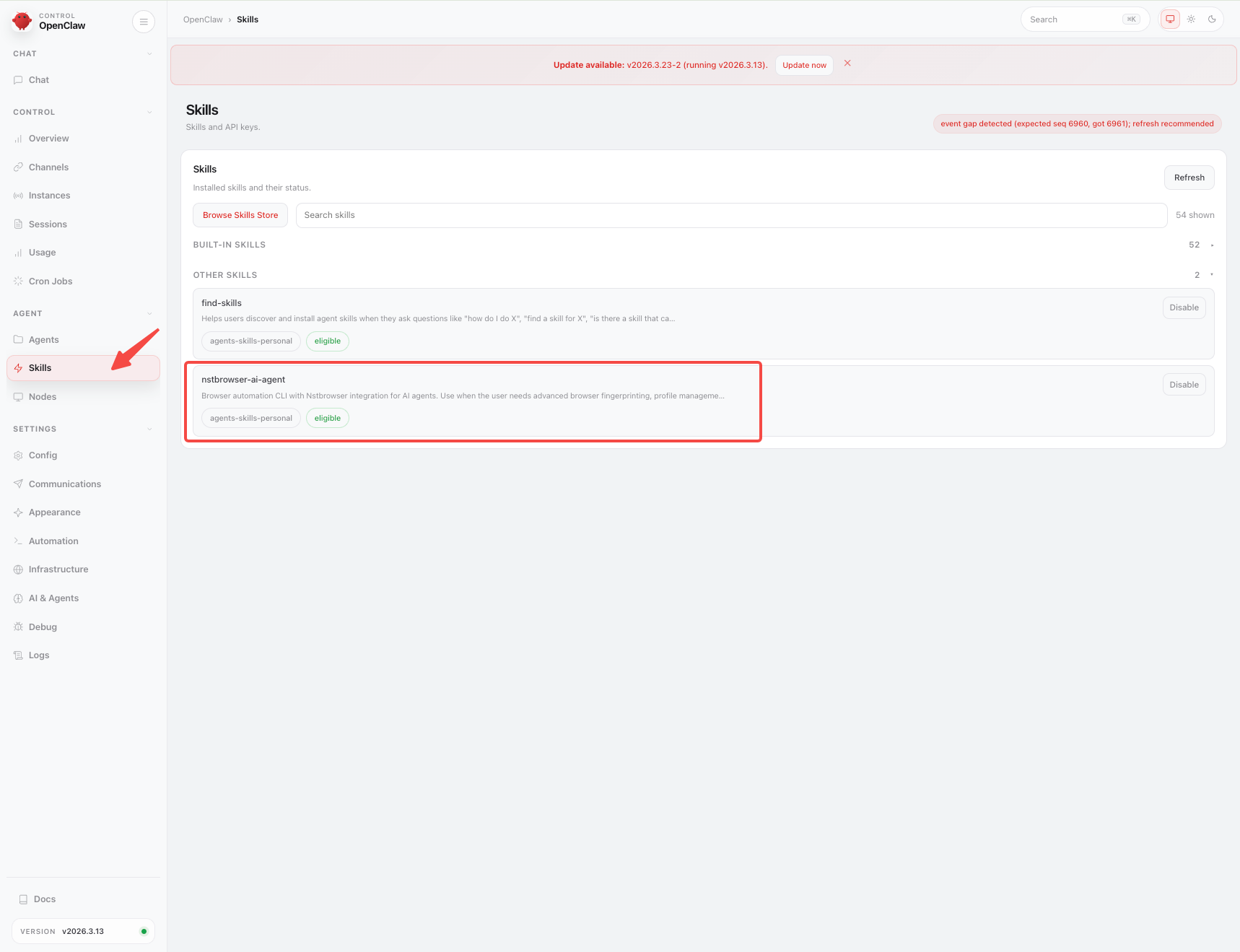
Step 1: Enable Skills
After installation, enable Nstbrowser AI Agent Skills in your Agent.
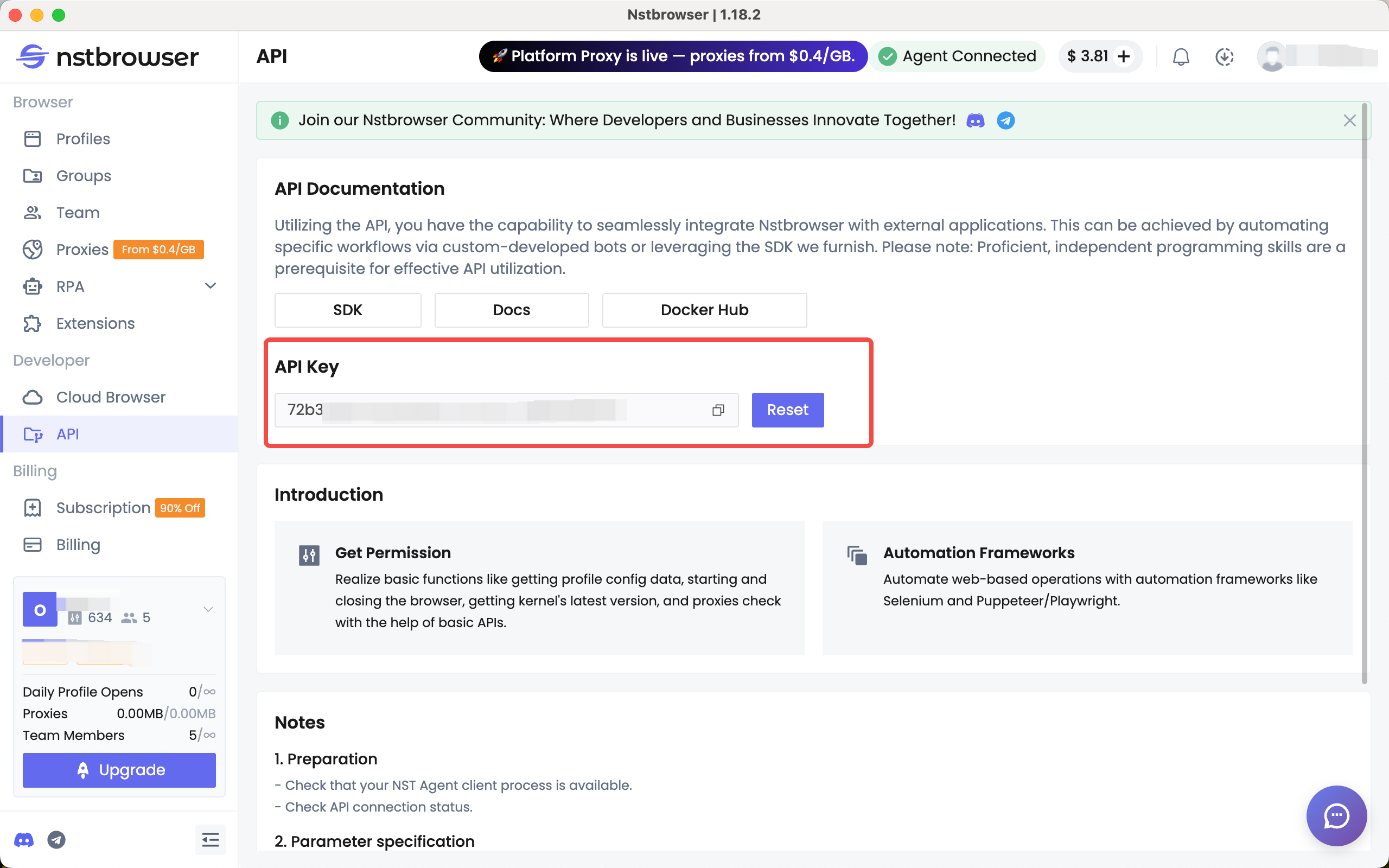
Step 2: Configure the API Key
When initializing the conversation, provide your Nstbrowser API Key:
- Go to Dashboard -> API
- Generate an API Key
- Provide it in the Agent conversation
This is used to bind the execution environment (account / profile).
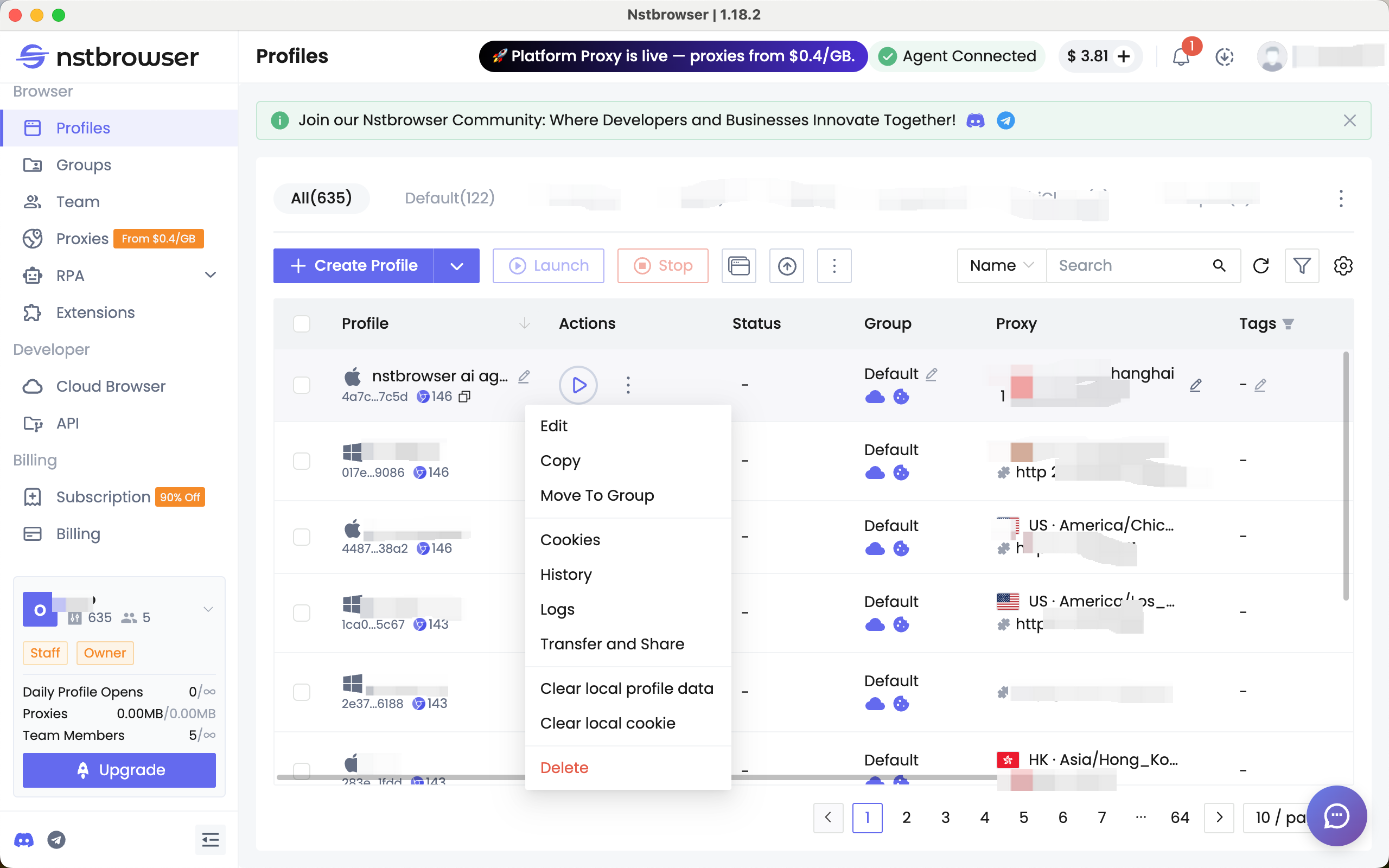
Step 3: Prepare the Profile Environment
Before running account-based tasks:
- Sign in to the target account (such as e-commerce or social media)
- Or inject cookies
- Configure a proxy if needed
Step 4: Execute the Task
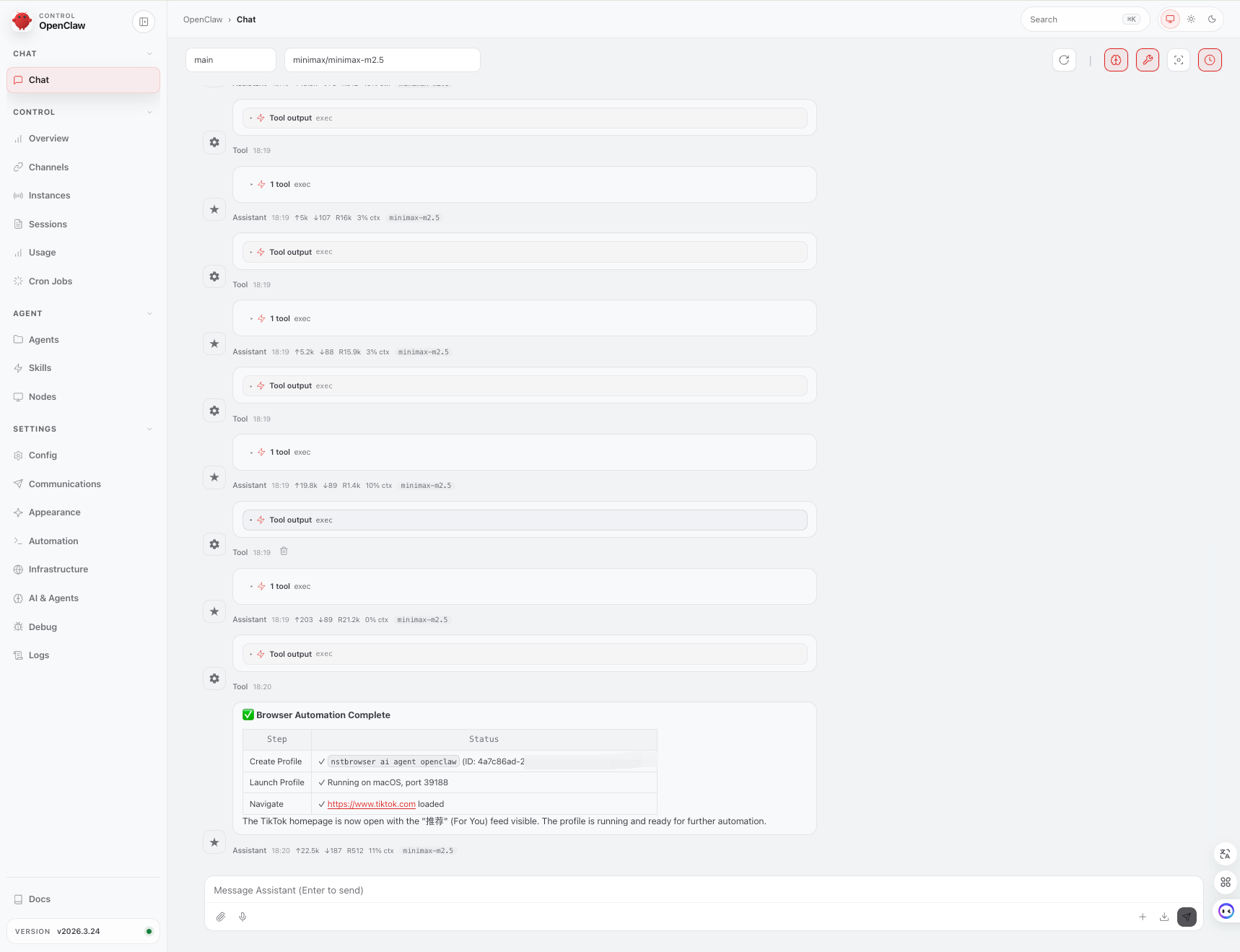
Send instructions directly to the AI Agent, for example to create and launch a profile and then visit TikTok:
Instruction: Browser Automation Flow
Auth:
Use Nstbrowser API Key: xxxx
Step 1: Create Profile
name: nstbrowser ai agent openclaw
Step 2: Launch Profile
wait until status = running
Step 3: Navigate
open URL: https://www.tiktok.com
Constraints:
Ensure profile is fully initialized before navigation
Fail if profile launch is unsuccessful
Instruction: Browser Automation Flow
Auth:
Use Nstbrowser API Key: xxxx
Step 1: Create Profile
name: nstbrowser ai agent openclaw
Step 2: Launch Profile
wait until status = running
Step 3: Navigate
open URL: https://www.tiktok.com
Constraints:
Ensure profile is fully initialized before navigation
Fail if profile launch is unsuccessful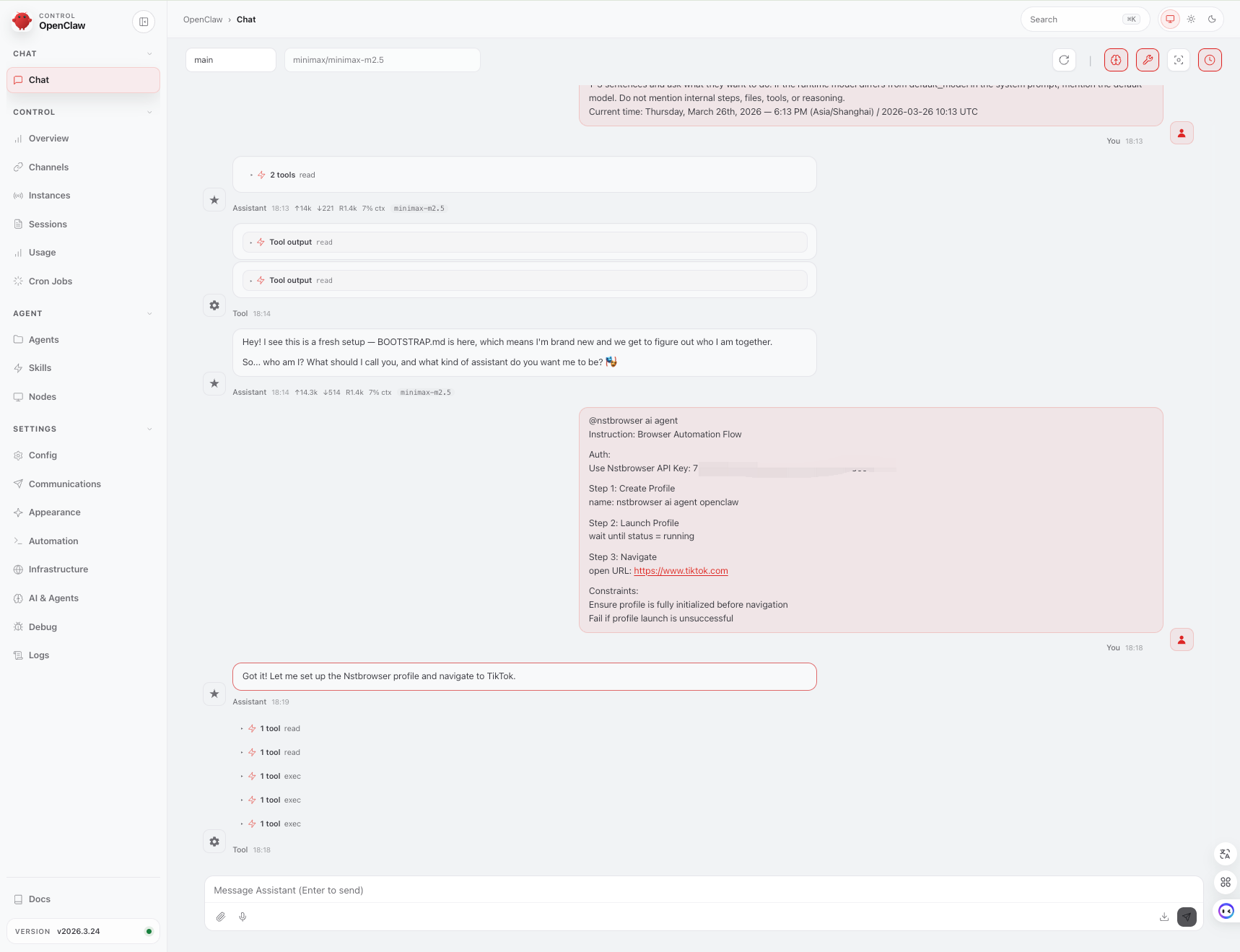
Summary
Nstbrowser AI Agent Skills provides a standardized way for AI Agents to directly use browser environments to perform real-world tasks such as browsing, operations, collection, and automation.
Agents such as OpenClaw serve as the runtime carrier that makes these capabilities executable in practice.