 Nstbrowser
Frequently Asked Questions
About the Product
Q: What is Nstbrowser?
A: Nstbrowser is an advanced anti-detection fingerprint browser that creates and generates realistic browser fingerprints. It provides users with an isolated fingerprint browser environment, allowing them to access target websites with a truly independent browser to complete their tasks. Our main features include:
- Batch creation and management of environments
- Automatic setting of independent browser fingerprints
- RPA: An automation tool for automating repetitive tasks and web data scraping
- Multi-account management: Manage and operate multiple accounts using real fingerprint environments without being tracked or detected
- Browser multi-window management: Synchronization and arrangement functions for multiple browser windows
- Automated script creation and an automated script marketplace
- API integration: Developers can call functions through the officially provided API interface
- Employee management, team collaboration features, supporting multi-user collaboration
- Supports mainstream proxies
Q: What computer configuration is required to use Nstbrowser?
A: To facilitate the operation and support of an unlimited number of environments in the future, we recommend the following computer configuration:
- RAM (Memory): Minimum 4GB recommended
- More than 2GB of available disk space
- GPU: 2 cores 2GB and above
- Supports Windows 10 and above
About Creation
Q: What is a browser environment?
A: A created browser environment can be thought of as a virtual computer device.
Q: How do I use my platform account in the fingerprint browser?
A: Through profile->Create profile, details can be found in "Creating an environment"
About Subscription
1. Open the Login Link
Login link: https://billing.stripe.com/p/login/bJe6oH0bn30B10kblMf7i00
2. Go to Payment Methods
After logging in, you will see your subscription and billing information page:
- Find “Payment methods”
- Click “Add payment method”
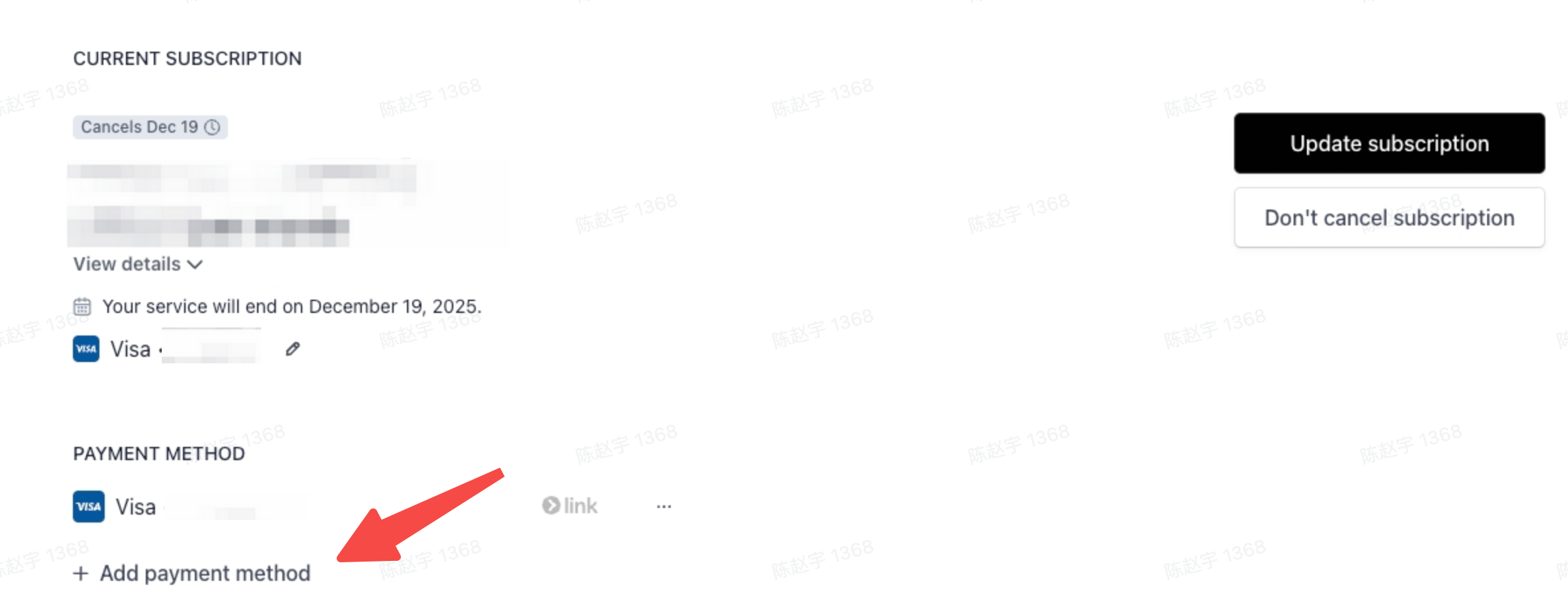
3. Add a New Credit Card
Enter your new credit card information (Visa / MasterCard / AMEX accepted).
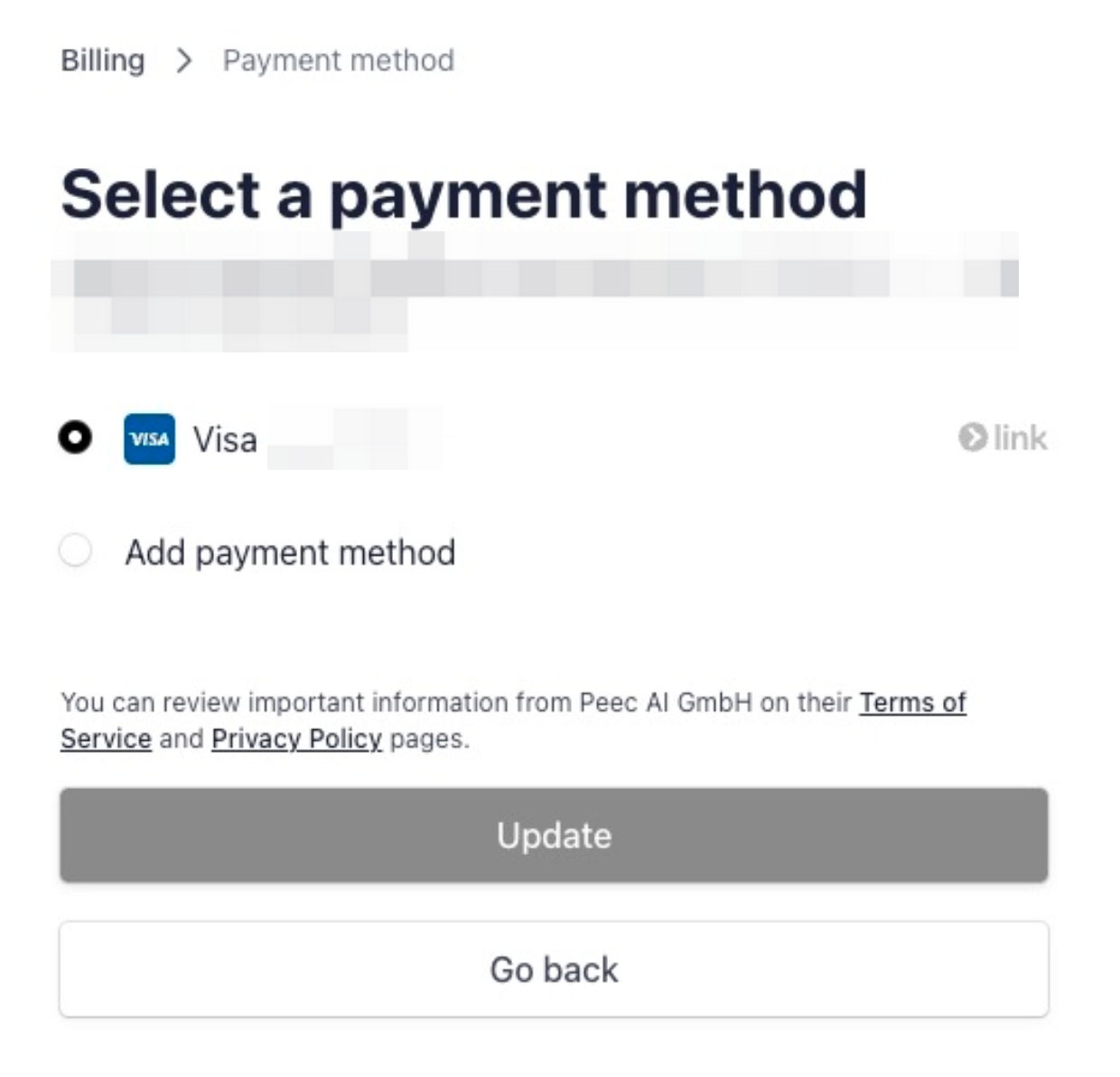
4. Set as Default Payment Method
After adding, Stripe will give you the option:
- Set as default ✔ Select this, and future subscription payments will be charged to the new card.
5. (Optional) Delete Old Credit Card
If you want to remove the old card, you can also click:
- Delete / Remove
About Credits
Q: What are credits and what are they used for?
A:
- Credits are used to pay for excess or overage usage.
- Any excess charges are automatically deducted from your account’s Credits.
- Each Credit equals $1 USD.
Note
- Credits cannot be used to purchase or renew subscriptions.
- Credits are only applicable to usage-based or overage charges.
About Proxies
Q: What is a proxy protocol?
A: It refers to a mediating role between the front-end machine and the server machine using TCP/IP protocol communication, allowing front-end machines in the internal network to access servers in the Internet network, or making communication more secure;
Q: What proxy protocols does Nstbrowser support?
A: Nstbrowser supports mainstream proxy (IPv6) settings on the market, including Sock5/Http/Https proxy types. You need to purchase and configure proxies yourself.
Q: What are the common reasons for browser proxy failure?
A: Common reasons:
- Problems with the proxy IP or proxy settings themselves
- The overseas proxy IPs recommended by us require your local computer network environment to be a foreign network to use this proxy IP normally!
- Network problems
- Fingerprint browser settings problems
How to Change Employee Management Permissions?
If you need to change employee management permissions, follow these steps:
- dashboard page --> Click
Team - Team Member: Find the corresponding employee account
- Modify the employee's permission group and environment group
- Save after selection to take effect